A receipt or appraisal makes a claim much easier, and it's simplest to keep it with the item.
1. Add a document
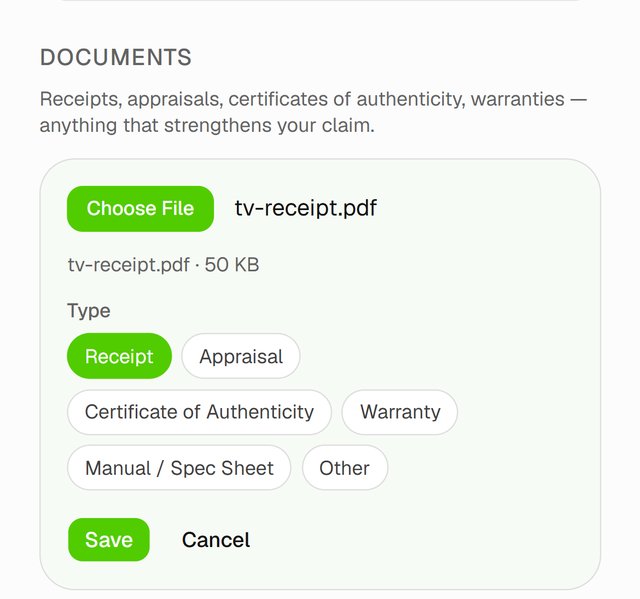
On the item's page, find Documents and tap Add document. Choose a photo or a PDF, up to 20 MB.
2. Pick a type, then save
Choose what it is: Receipt, Appraisal, Certificate of Authenticity, Warranty, Manual / Spec Sheet or Other. Then tap Save.
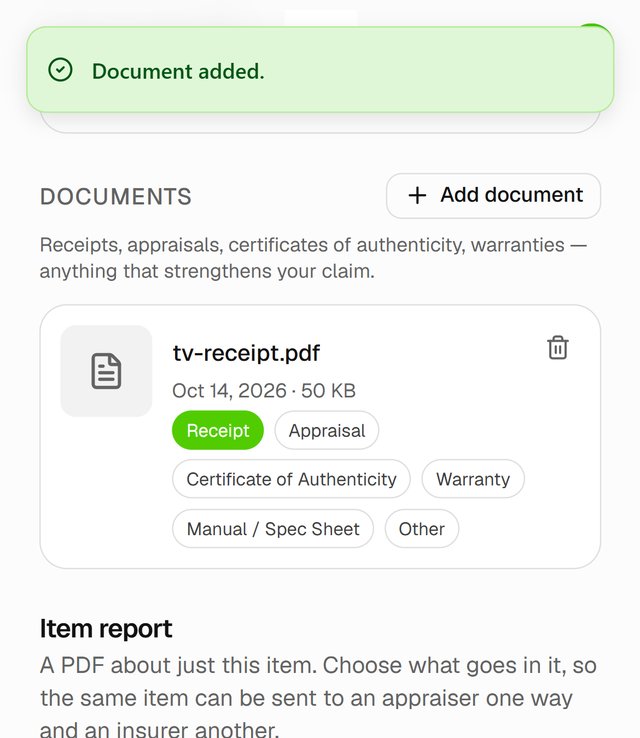
The document is now listed under the item. Tap it to open it.
Good to know
- Picked the wrong type? Tap the right one on the document. It changes straight away.
- To remove a document, tap its trash icon and confirm.